on
The Steam Machine handles Control Resonant capably, but the promised Steam Deck support is a letdown
Aberrant behavior
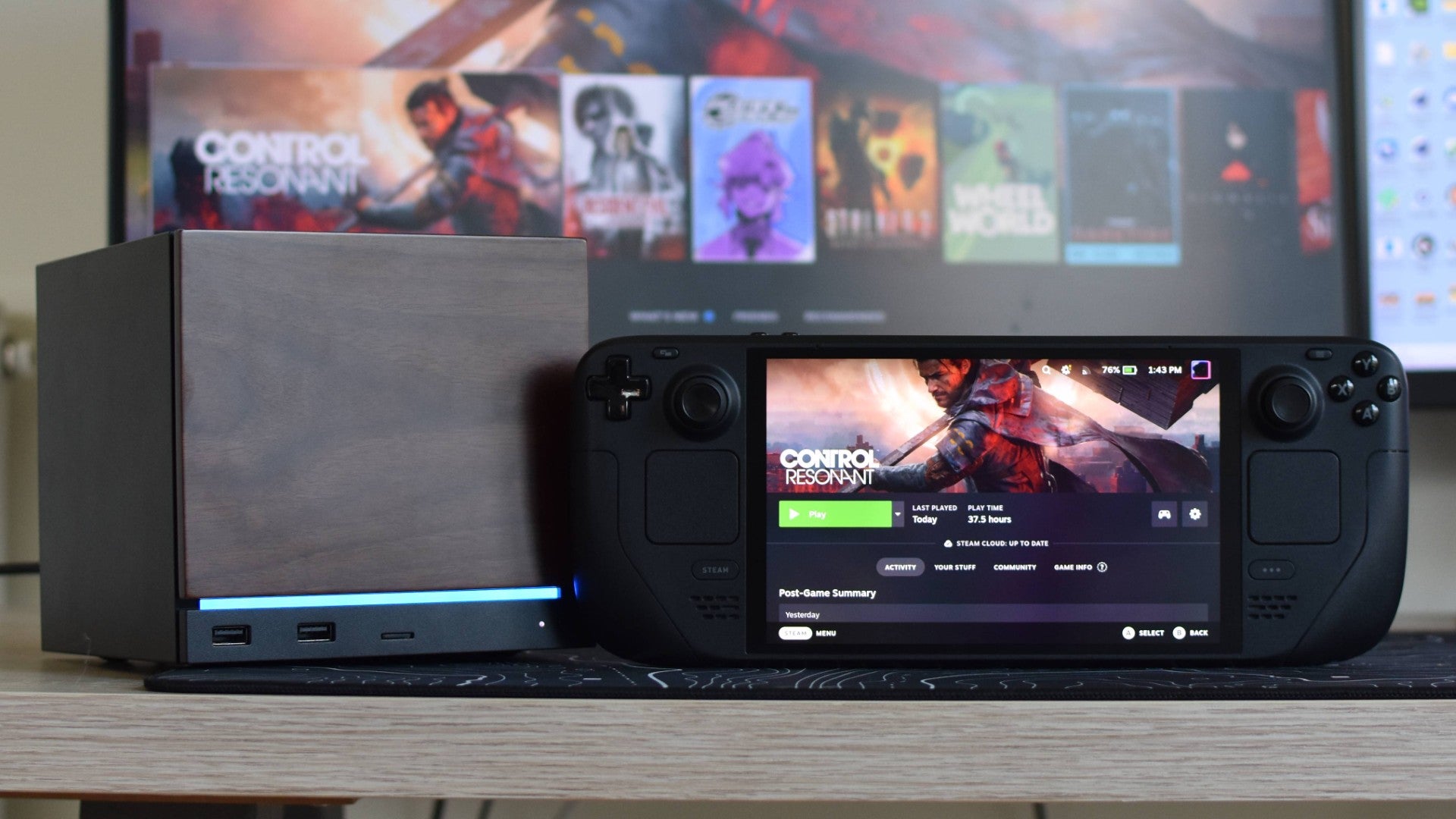
Control Resonant is almost everything I wanted from a Remedy-flavoured character action game, including several sub-things I didn’t initially believe it would pull off. However, one particular ambition has failed to come good: the ability for me to play it in bed. Despite previously expressed plans for Steam Deck support, alas, Resonant needs to render just a bit too much paranturally skew-wiff Manhattan for it to comfortably run on Valve's handheld.
The bigger, beefier Steam Machine is a different story, which is good, because otherwise this would be a very short article. But with Control Resonant lacking any public SteamOS hardware compatibility ratings just a day before release, consider this a warning: it’s a damn fine game, on almost any modern PC that isn’t a Deck.
What makes this especially disappointing is that Resonant’s graphics options include a 'Handheld' quality preset, which – considering a certain SteamOS device is the most widely used portable PC by far – is something that many other games have as shorthand for "Here’s what you should use if you’re on a Steam Deck." I mean, it does run, technically, and without any Proton messing. But when I whack on on the Handheld preset, and add FSR upscaling to its fast Performance mode, my Deck OLED is lucky to even brush 30fps.

Around the warped streets of New York, where most of Resonant is spent, these settings typically produce framerates in the low-to-mid twenties. Sometimes lower, as there are frequent, heavy stutters I suspect are owed to the Deck running low on its 16GB of its combined RAM/VRAM. Ultra Performance upscaling doesn’t really shift the needle on this, either, and actually makes things worse by crunching up the visuals to the point where it’s hard to tell what’s going on in fights – and Resonant’s combat, potentially thrilling as it can be, only really works if you can tell what’s going on in fights.
Further investigation reveals a few other graphics options that can be disabled outside of the preset’s remit, including SSAO and all the post-processing gubbins (motion blur and the like). But again, these still can’t get the Deck averaging faster than 25fps or so, outside of certain interiors and late-game areas. In fairness, I have seen it reach as it high as 45fps in these more favourable conditions, but you’d have to wade through a lot of sub-30fps sludge to reach them. Between this, and the SSD-swamping 105GB install size, I just can’t recommend the Steam Deck as a way to play.

The Steam Machine, at least, is a much more capable Resonant runner. At 1080p. With all the ray tracing bits switched off. Caveats aside, it stutters much, much less (Steam Machines also have 16GB of RAM by default, though it’s separate from the video memory) and can do a playable 40-50fps, in those tricky open-world regions, with the quality preset on Medium and a native 1080p rez.
On the High preset, that drops to mostly within 35-45fps territory, though even at 1080p it’s fine to throw in Quality-level FSR upscaling. The results are less consistent but higher overall, usually between 50fps and 65fps.
That High preset/FSR Quality is arguably fine to use on the Steam Machine as-is, though I did run through each individual graphics setting to see if any would grant big framerate bonuses by lowering them. Or, likewise, if there were any Ultra-level settings that can be kept with minimal performance cost. To this, Control Resonant said "Yeah, nah, buddy" in a thick Noo Yoik accent. You can maybe squeak out a few extra frames here and there by dropping the lighting and reflections settings, but fair warning, this is one of the most preset-like settings guides I’ve made in my entire settings guide-making career.
- Render resolution: Quality
- Upscaler: FSR
- FSR Sharpness: 50
- Texture resolution: Ultra
- Texture filtering: High
- Level of detail (LOD): High
- Global illumination: High
- Volumetric lighting: Medium
- Volumetric spotlight: High
- Fog: High
- Shadow map resolution: High
- Shadow map filtering: High
- Shadow map detail: High
- Screen space ambient occlusion: On
- Screen space reflections (SSR): Medium
- Signed Distance Field (SDF) reflections: Off
- Ray tracing preset: Off
- Post processing resolution: Render resolution
- Motion blur: Off
- Depth of field: On
- Lens distortion: On
- Film grain: On
- Vignetting: On
In short, the best I could do with these was a 14% (ish) performance improvement over just using High and FSR Quality. Though I’d argue that’s still worth doing, especially if your Steam Machine is hooked up to a fast gaming monitor instead of a 60Hz TV, as I got a few more 70fps-plus peaks with these settings than when keeping them all on High. Also anecdotally, I’d say the tricky city stuff was more likely to stay above 60fps, even if I couldn’t entirely avoid drops into the fifties.
I’ve left FSR Frame Generation off here, though really it’s more of an eye-of-the-beholder type of setting. I didn’t hate how smooth it looked, in contrast to the many sloppy, choppy FSR FG implementations I’ve seen elsewhere, and simply turning it on meant Resonant could reach – as far as my eyes were concerned – 100fps and above. It does, however, add a little dash of input lag, and considering how quick and timing-sensitive the melee bashing can get, I ultimately decided against it myself. Even so, consider trying it and seeing how you feel.
Ray tracing, by contrast, is absolutely not worth pushing your luck for. The first time I enabled it, it immediately forced the otherwise stable Resonant into a rare crash, and from there I couldn’t even successfully launch again in SteamOS without switching Proton versions to the Experimental branch. And even when I got the Low RT preset up and running, in addition to those tweaked settings, the game’s framerates slumped down into the twenties. If I wanted that, I’d play on the Deck.